
Trainer portal: overview
The trainer portal is your whole training business in one place: your public profile, incoming requests, scope calls, agreements, your calendar and batches, certificates, clients, alumni, materials, messages and earnings. Sign in at dashboard.taleocert.com.
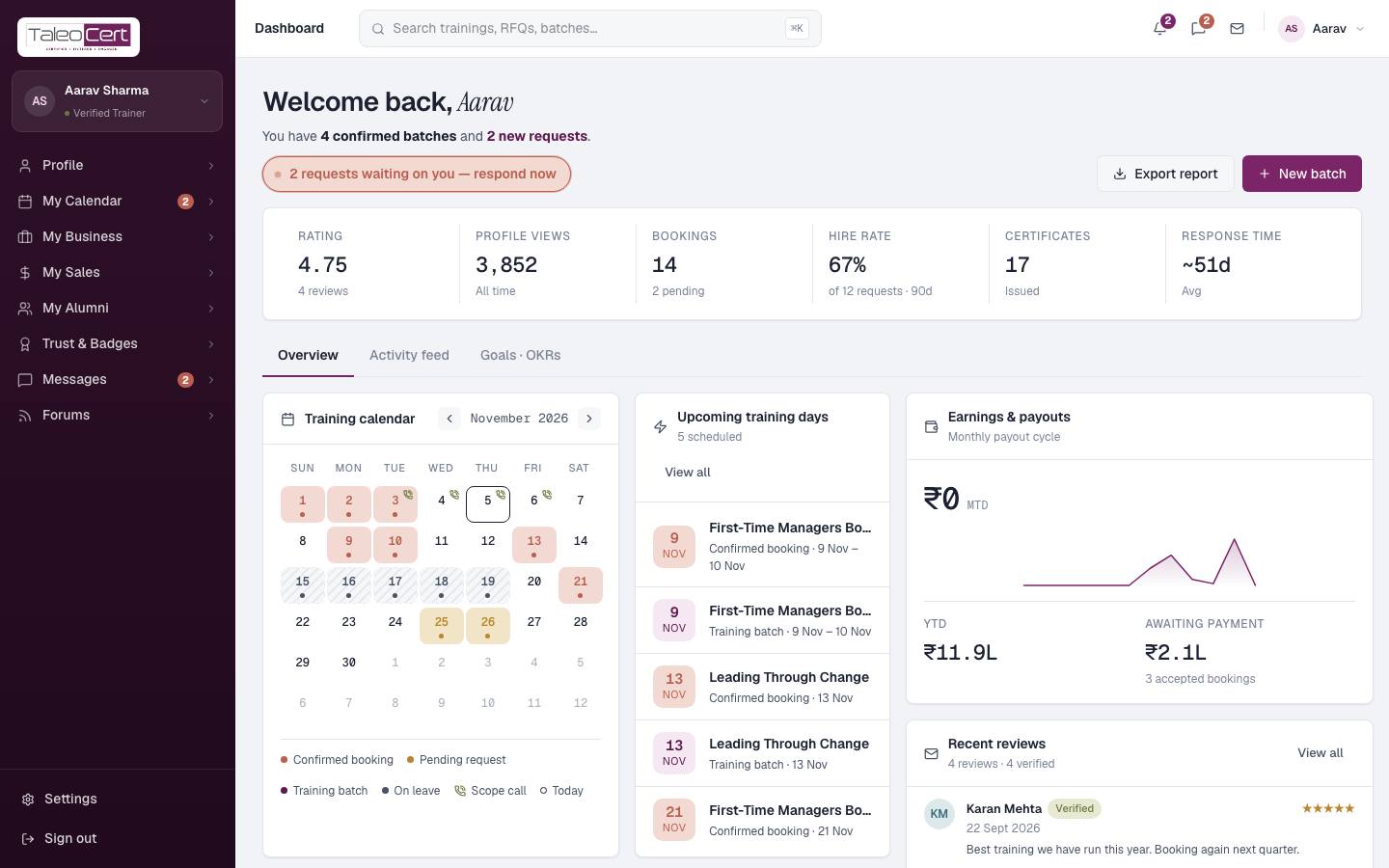
The menu, at a glance
| Menu | What's inside | Guide |
|---|---|---|
| Profile | Profile Snapshot, Experience, Testimonials, Videos, Availability | Profile & verification |
| My Calendar | Meeting Schedule, Scope Calls, Training Requests, Schedule Trainings, Training Batches, Trainings Status | Calendar & batches, Scope calls, Requests & agreements |
| My Business | My Profits, Broadcasting, My Contacts, My Clients | Business, broadcasts & clients |
| My Sales | Training Sales, Batch Outcomes, Profile Funnel, Certification Sales, Issue a Certificate, Showcase Sales, Training Labs | Sales, certificates & showcase |
| My Alumni | Corporate (organisations trained), Professional (people trained) | Alumni, trust & reviews |
| Trust & Badges | Trust Score, Training Reviews, Credentials, Verifications, Compliance | Alumni, trust & reviews |
| Messages | Direct messages, Mailbox | Messages, forums & settings |
| Forums | Feed, Threads, Channels, Help & Support | Messages, forums & settings |
| Settings | Account, Earnings & payout, Notifications, Privacy & data | Messages, forums & settings |
Reading your dashboard
Use Export report to download your dashboard figures, and New batch to schedule a training. The Activity feed tab lists everything that has happened: requests, acceptances, reviews, certificates and batches.
Before you are verified
A new trainer can sign in and prepare everything immediately, but some menus stay locked until an admin verifies you: My Business, My Sales, My Alumni and Forums. A progress bar at the top of the sidebar shows how complete your profile is.
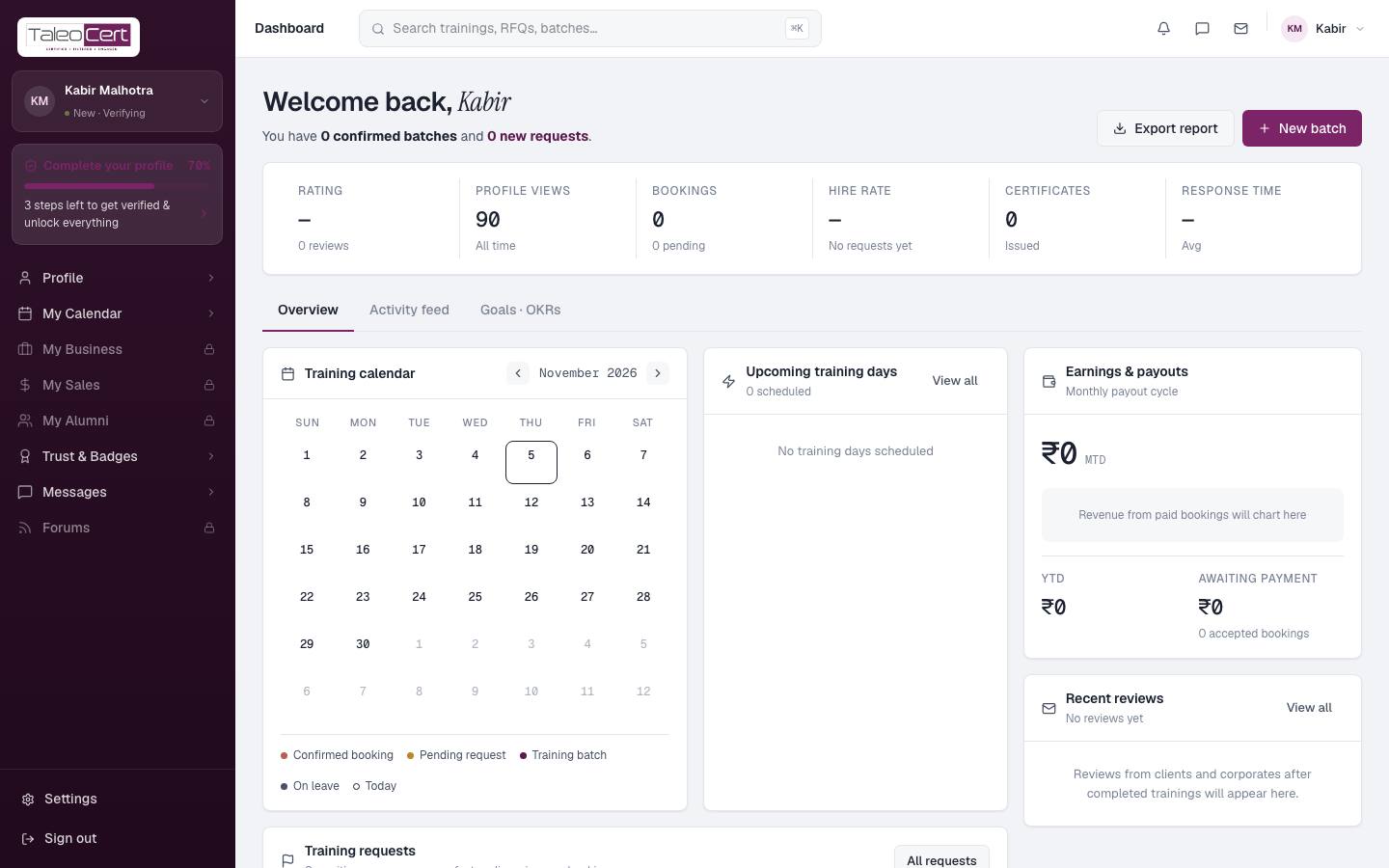
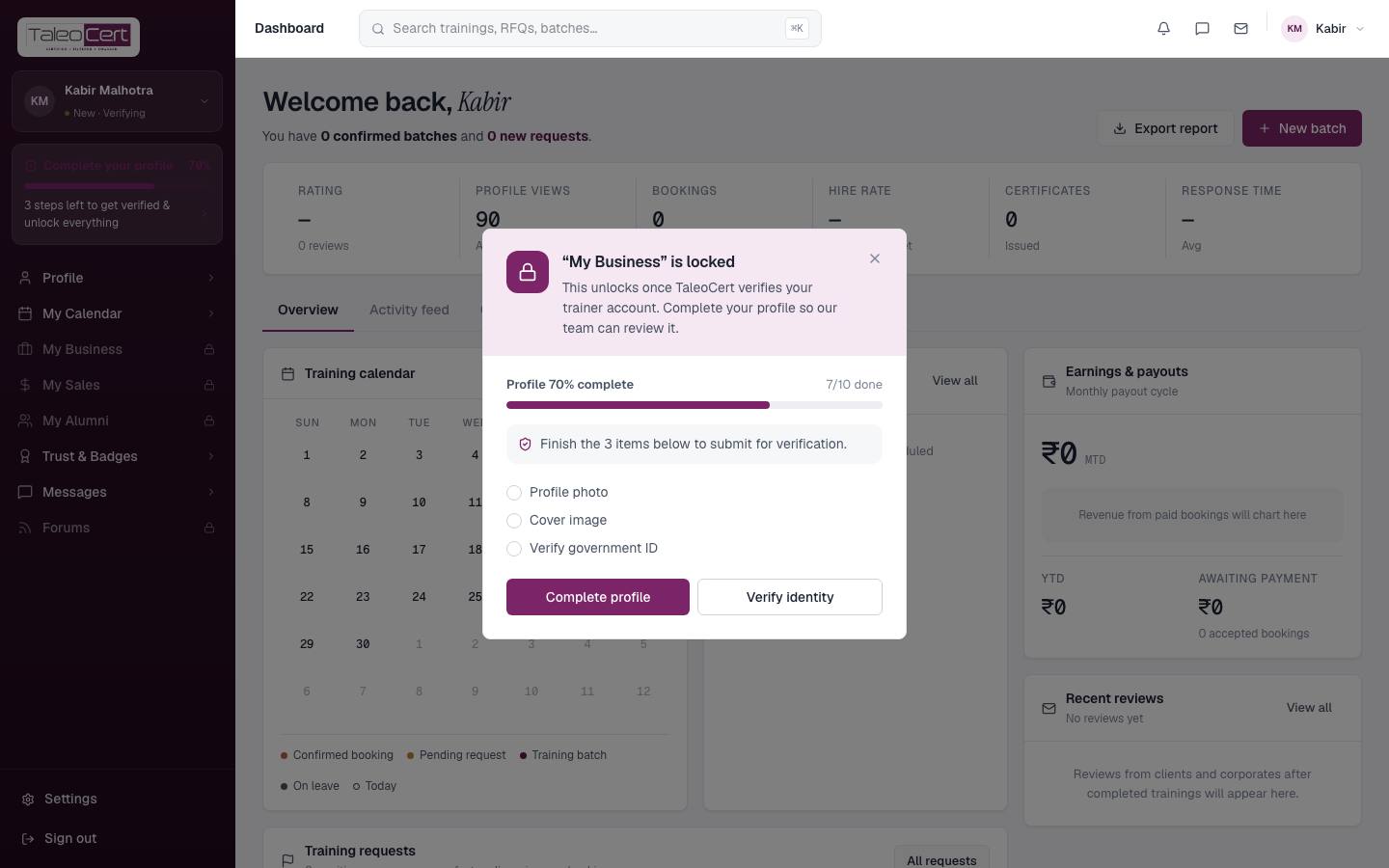
How to get verified is covered in Profile & verification. A rejected application cannot use the workspace; the reason is shown and you can re-apply.
Something not covered? Talk to us or open a ticket from Help & support in your portal.