
Corporate portal: overview
The corporate portal is for the people who buy training for a company: L&D, HR and team leads. Sign in at corporate.taleocert.com. You find and book verified trainers, sign agreements, pay, send your people's names, and collect certificates and outcomes.
Finding your way around
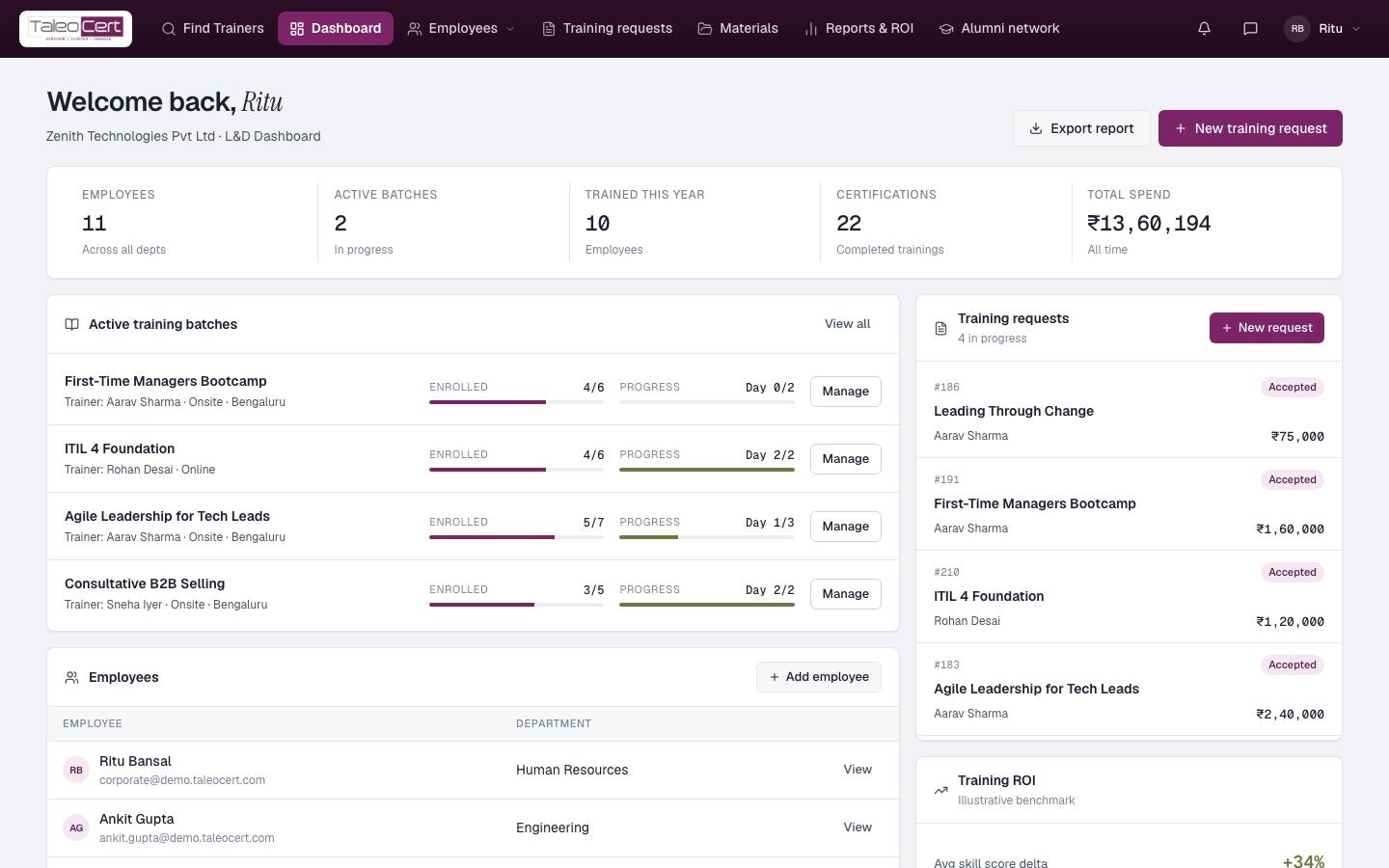
The corporate portal uses a bar across the top instead of a sidebar:
| Top bar | What it's for | Guide |
|---|---|---|
| Find Trainers | Your home page: search and book verified trainers | Find & book trainers |
| Dashboard | Headline numbers, active batches, requests, employees | This page |
| Employees ▾ | Employees, Batches and Certificates | Your team |
| Training requests | Every request: agreements, payment, participants, changes | Requests, agreements & payment |
| Materials | Course materials you've downloaded or bought | Insights & more |
| Reports & ROI | Outcomes, spend and completion across batches | Insights & more |
| Alumni network | Trainers you've worked with and everyone they trained | Insights & more |
| 🔔 bell / 💬 chat | Notifications and Messages | Insights & more |
| Account menu | My account, Support, Sign out | Insights & more |
Registration and unlocking the portal
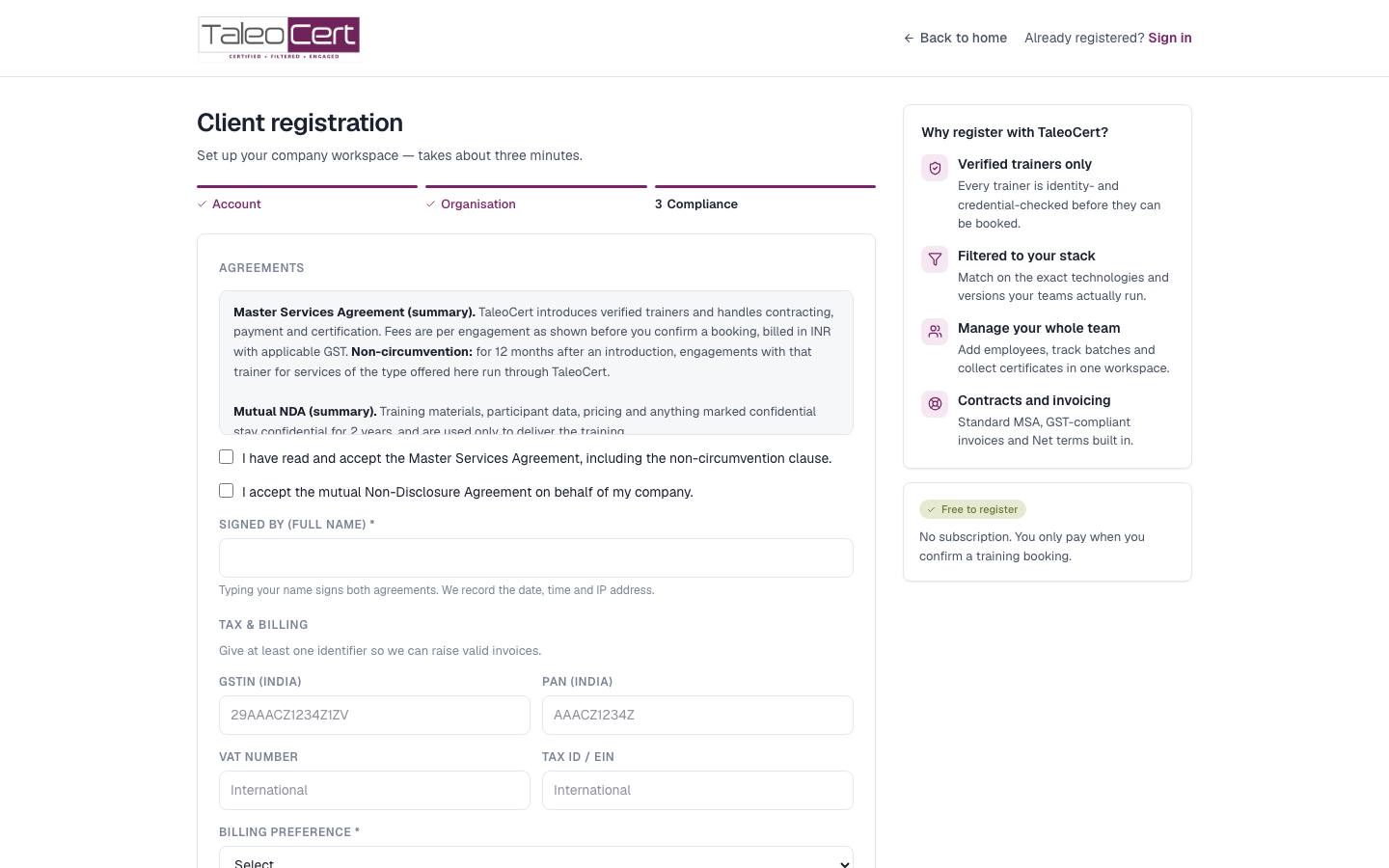
Registration takes about three minutes in three steps: Account (work email and password), Organisation (company profile) and Compliance (MSA, NDA, tax and billing). Until it's complete, signing in brings you back to the step you're on. Full walkthrough in Getting started.
Reading your dashboard
Export report downloads the dashboard; New training request takes you to Find Trainers.
Something not covered? Talk to us or open a ticket from Help & support in your portal.