
Learner portal
The learner portal is for individual professionals and students. Sign in at client.taleocert.com. The left menu has: My dashboard, Find Trainers, My courses, Certifications, Materials, Alumni network, Messages, My profile and Help & support.
My dashboard
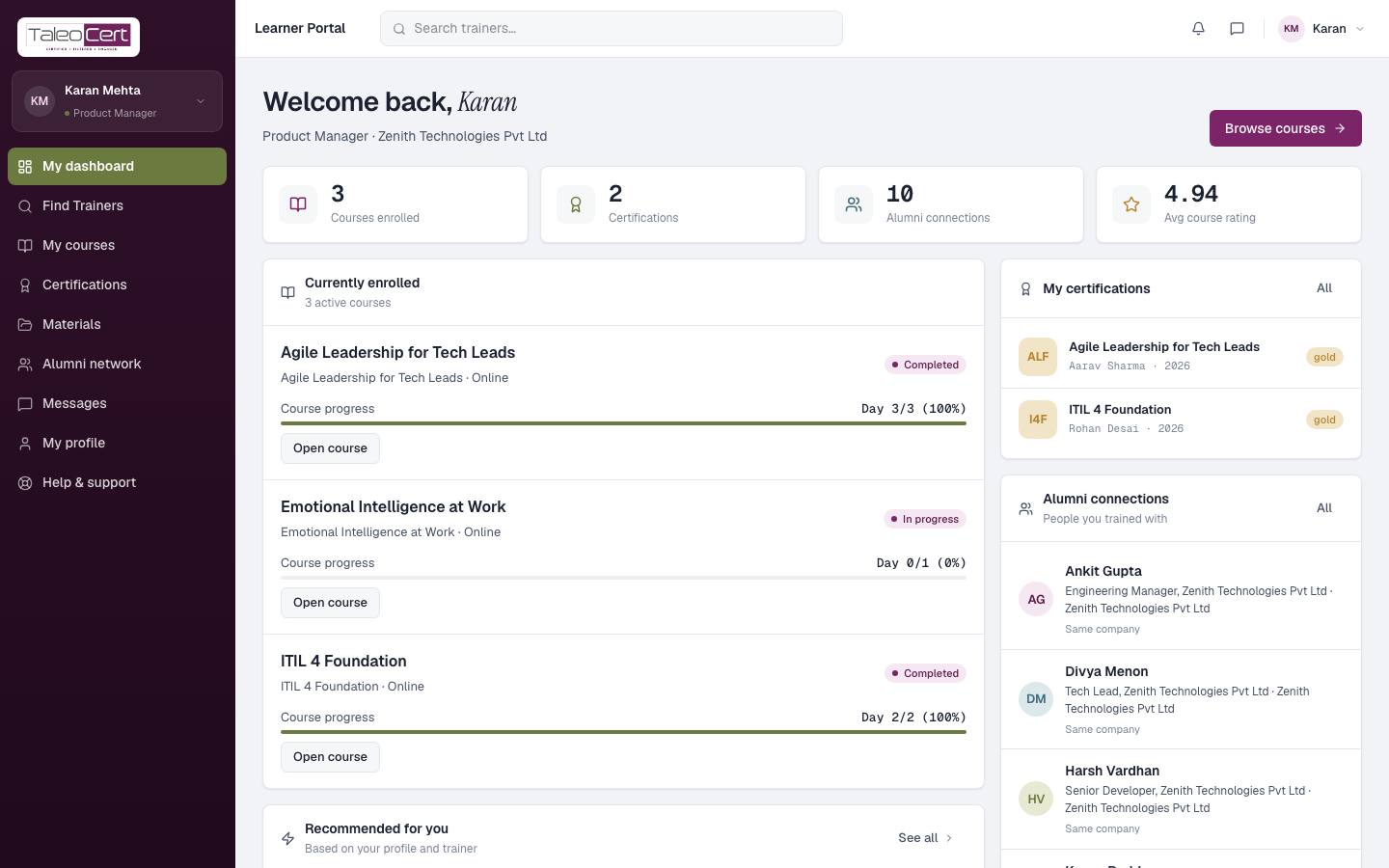
- Counters: courses enrolled, certifications, alumni connections and your average course rating.
- Currently enrolled: each course with its progress (e.g. Day 3/3, 100%) and Open course.
- My certifications and Alumni connections, with links to the full pages.
- Recommended for you, based on your profile and trainers.
Find a trainer and book a session
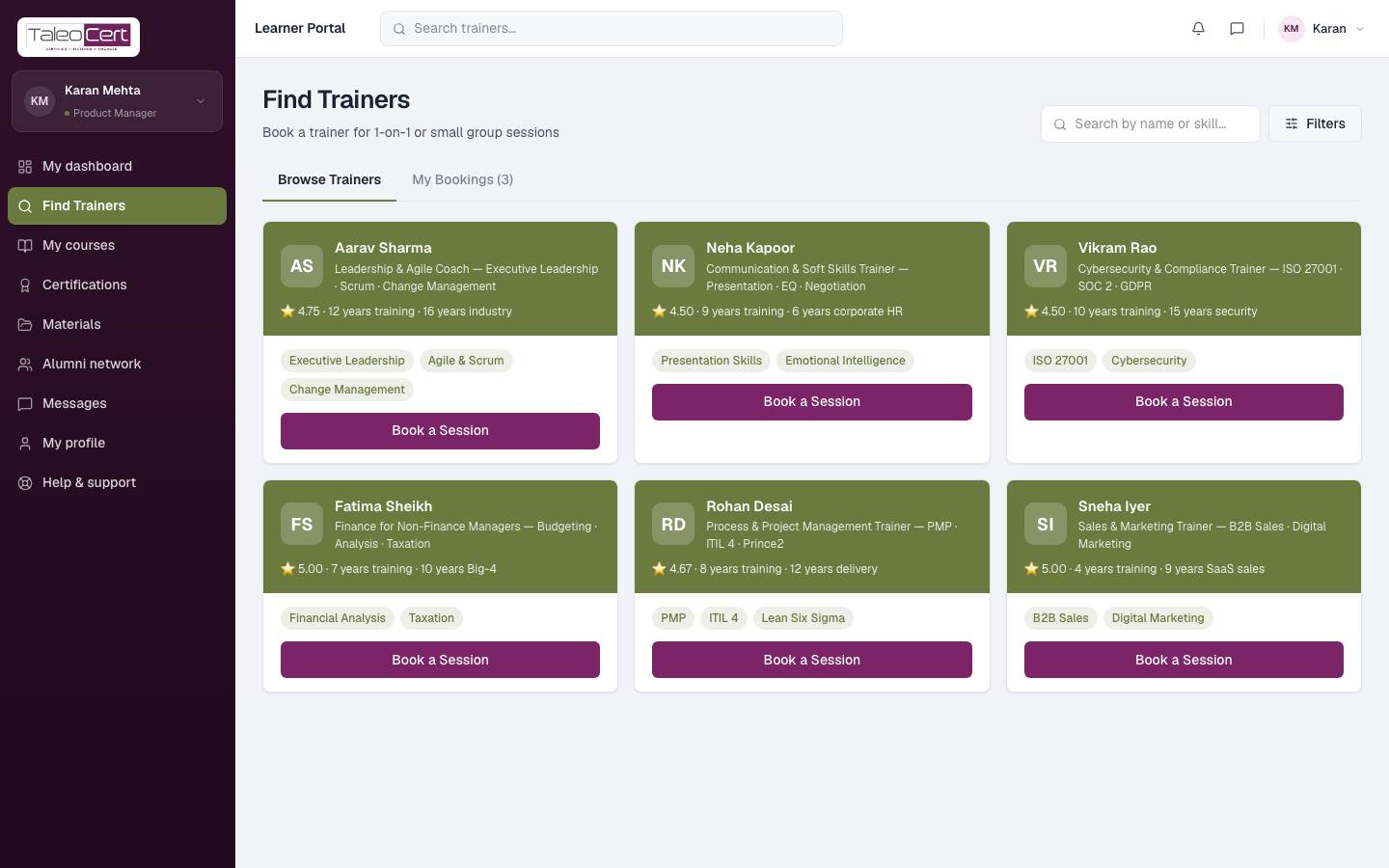
- 1Find TrainersBrowse verified trainers or search by name or skill. Filters narrow by skills, language, location, category, rating and availability.
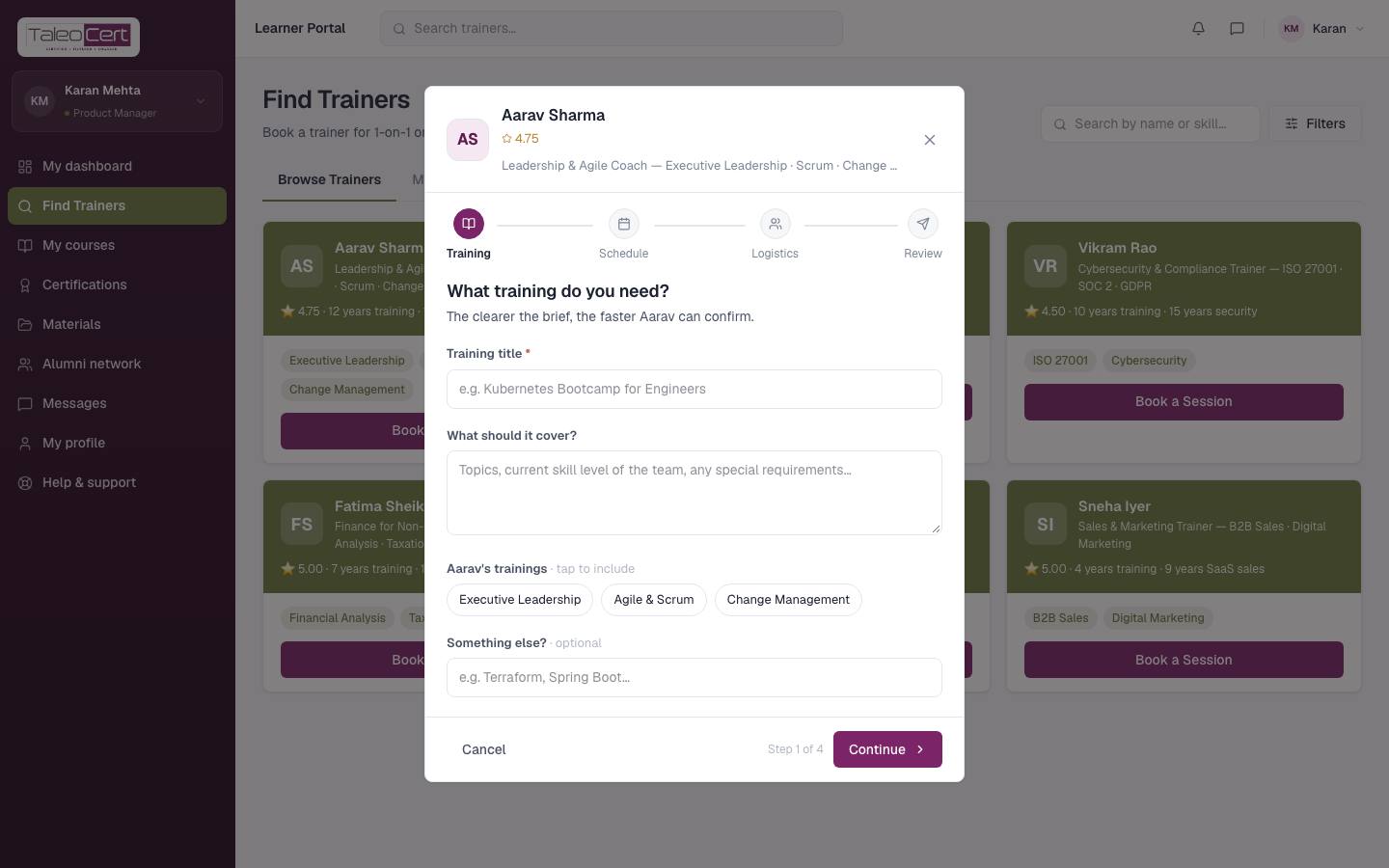
Find Trainers in the learner portal. - 2Book a SessionOn a trainer's card, click Book a Session. The same four steps as for companies: what you need, preferred dates, logistics (mode, location, budget), then review and send.
Booking a 1-on-1 session with Aarav Sharma. - 3Scope callThe trainer may invite you to a short scope call to understand your goals. You'll get an email invite and reminders.
- 4Sign and payWhen the trainer accepts, sign the agreement and pay through Razorpay (or Pay later if agreed). Open the booking from My Bookings to do both.
My Bookings
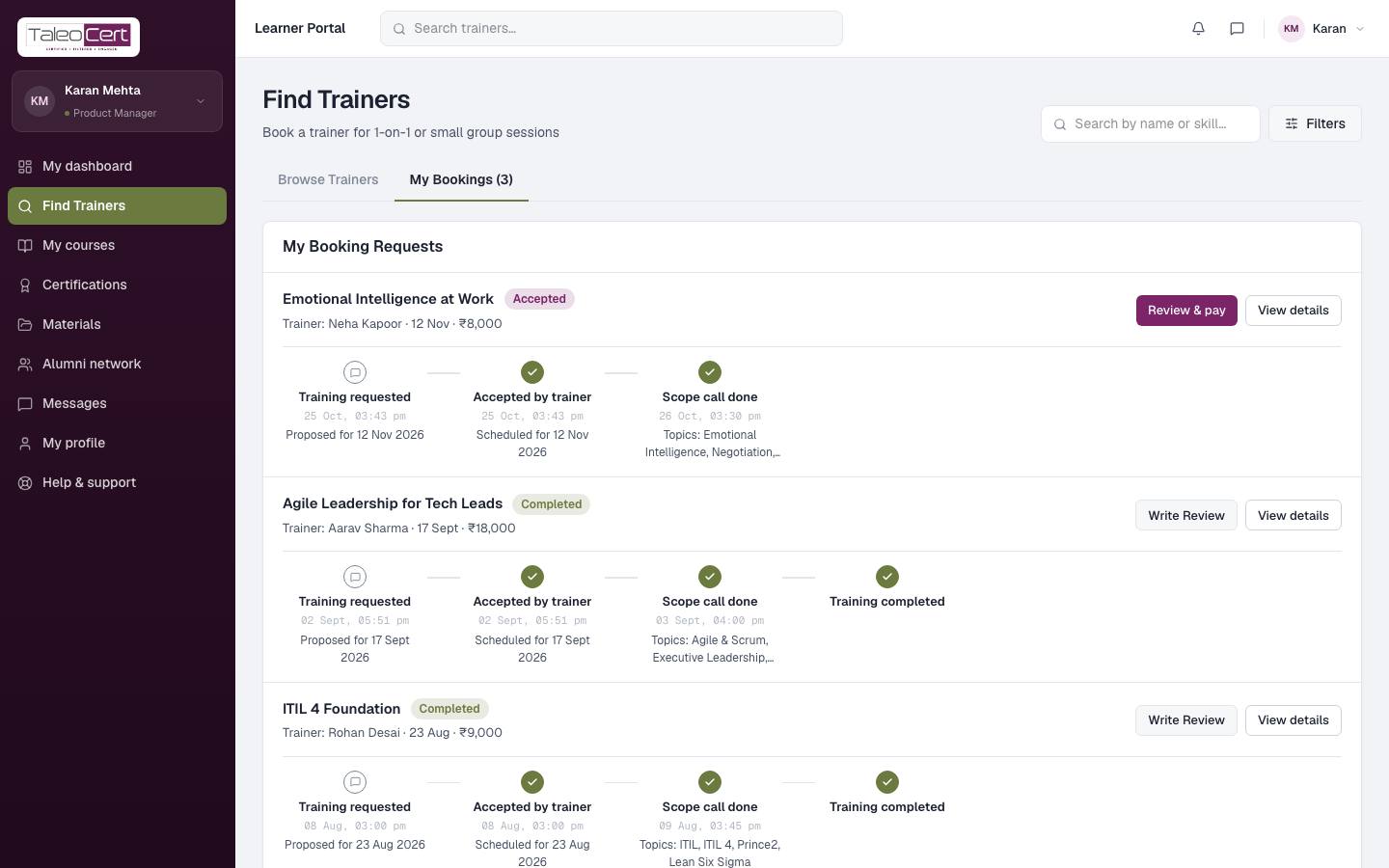
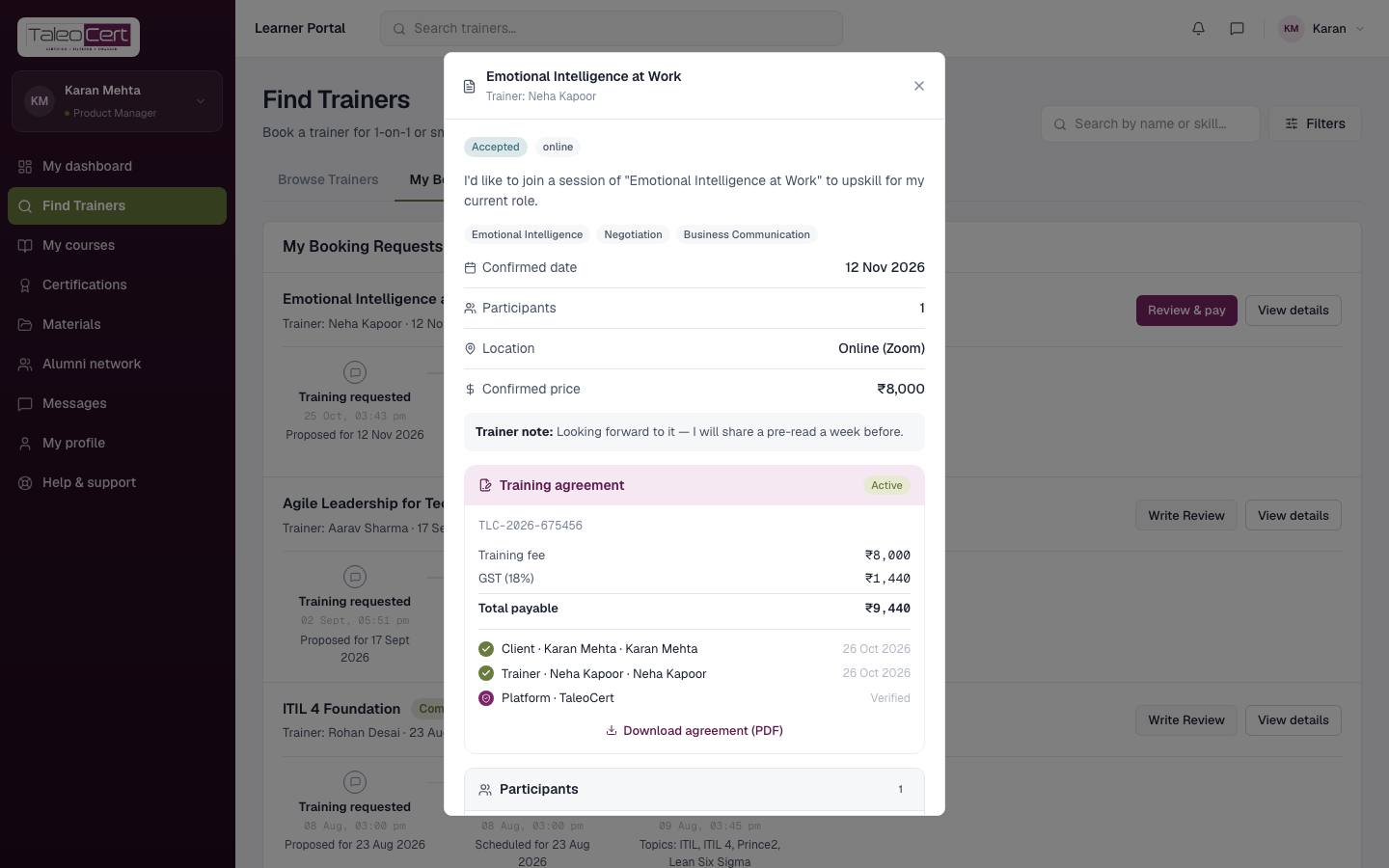
The My Bookings tab on Find Trainers lists every request with its status and timeline. Use Review & pay, View details and, after the training, Write Review.
My courses
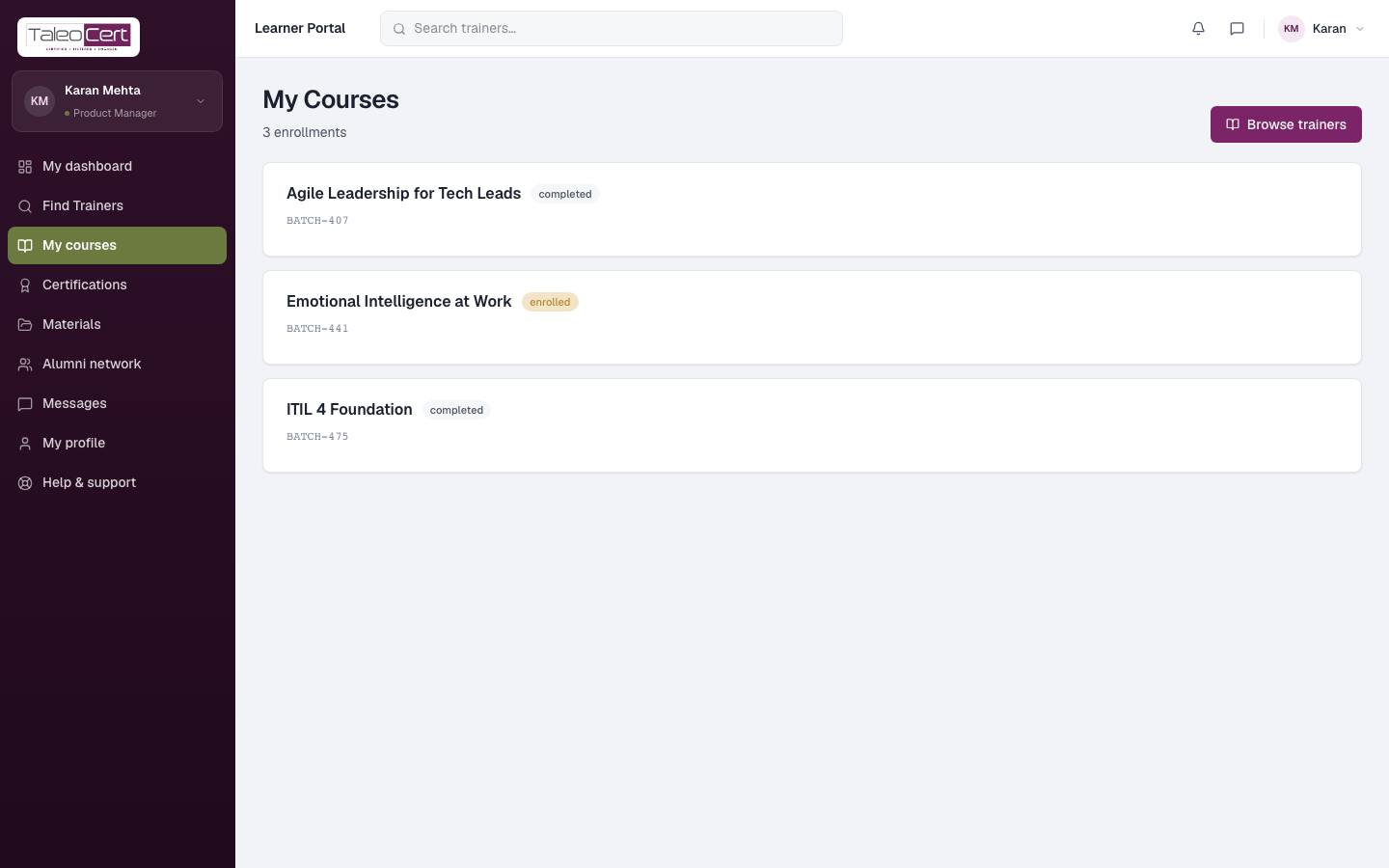
Every batch you're enrolled in, with its code and status: enrolled, in progress or completed. Browse trainers to find more.
Certifications
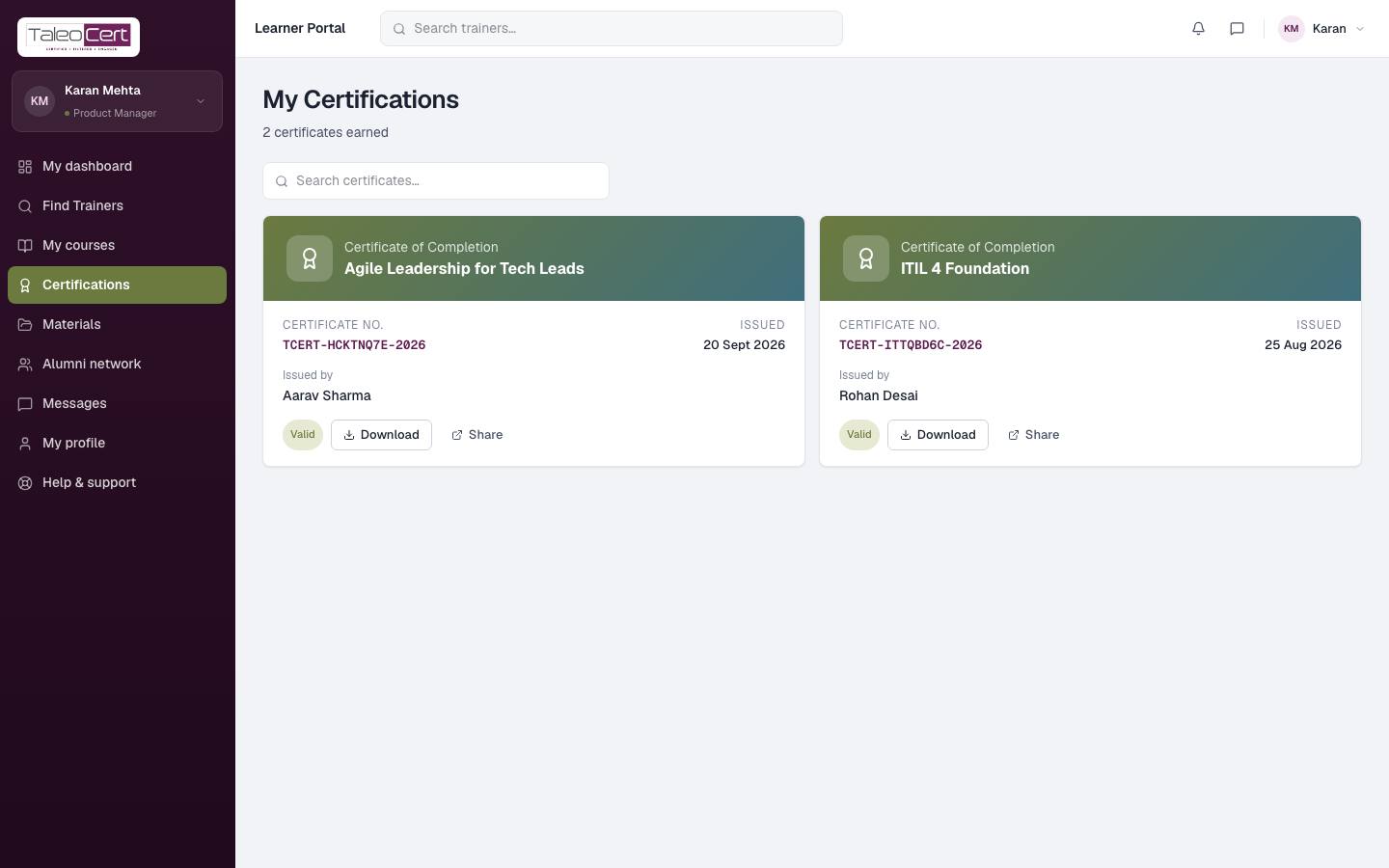
Every certificate you've earned, with its number, issue date and trainer. A Valid badge confirms it is genuine and active, Download saves the PDF, and Share gives you a link for LinkedIn or an employer.
Materials
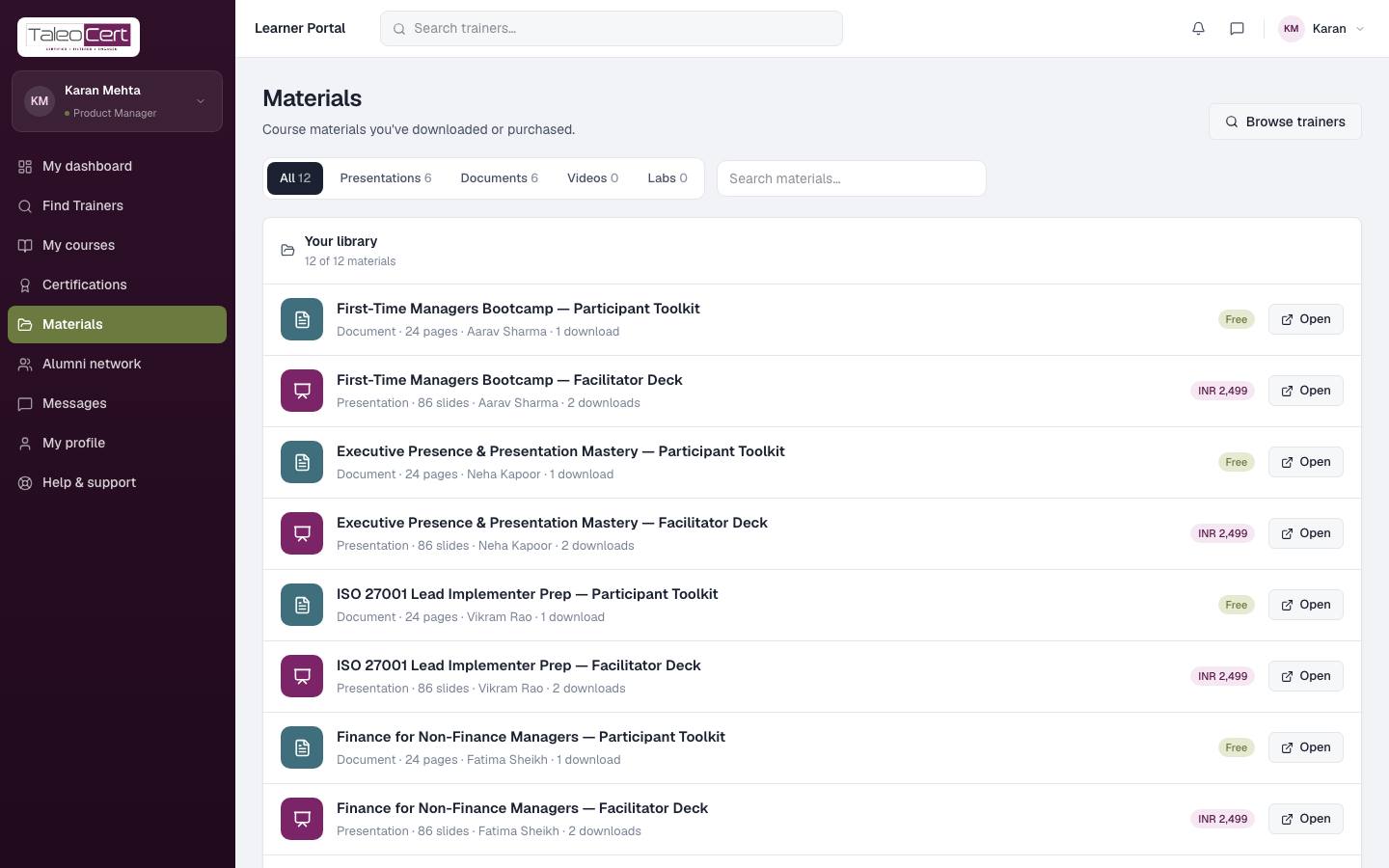
Free and paid course materials from trainers: presentations, documents, videos and labs. Free items open straight away; paid ones are bought through Razorpay and stay in your library.
Alumni network
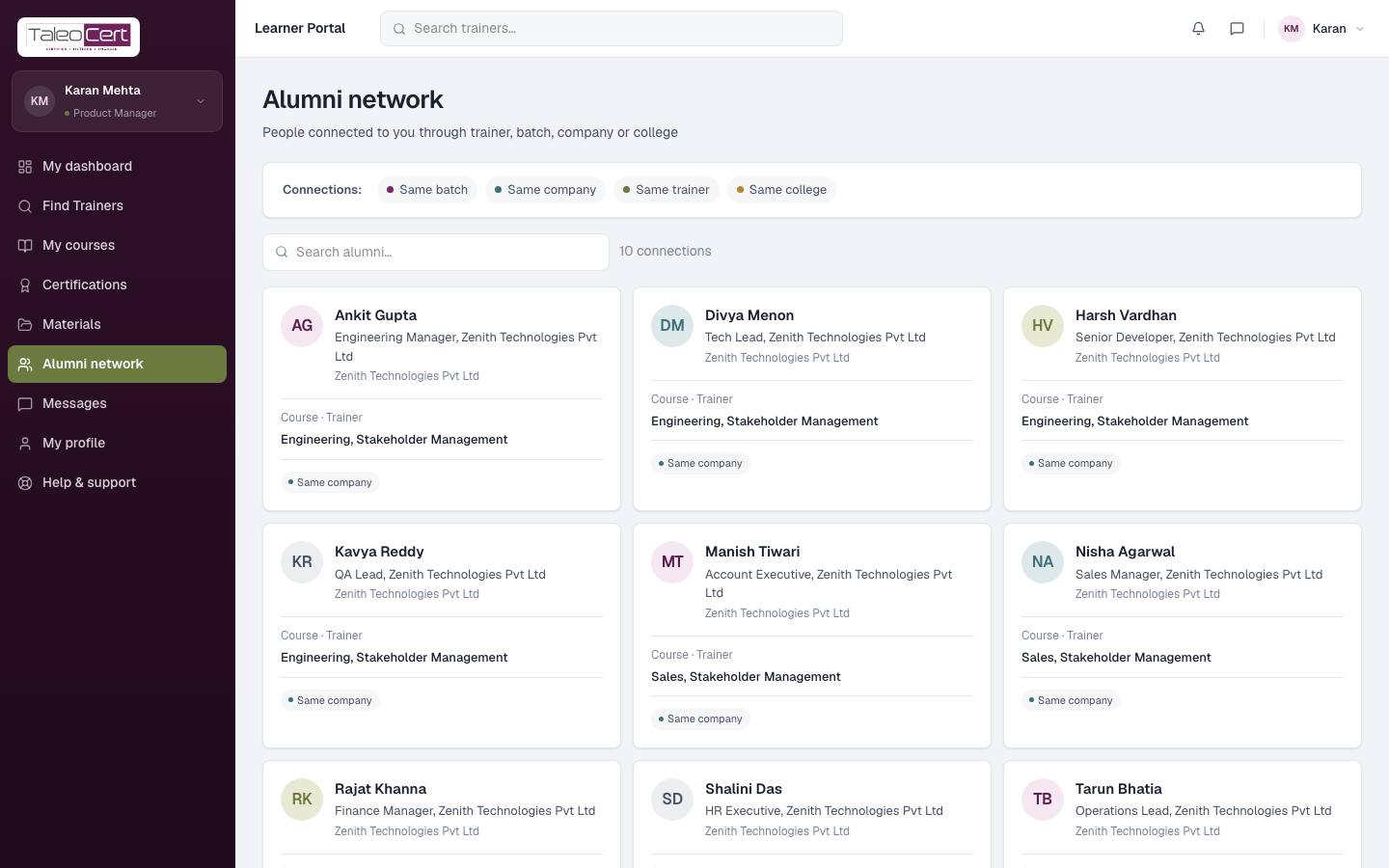
People connected to you through the same batch, company, trainer or college, with their role and what they trained on. Search to find someone.
Messages, profile and support
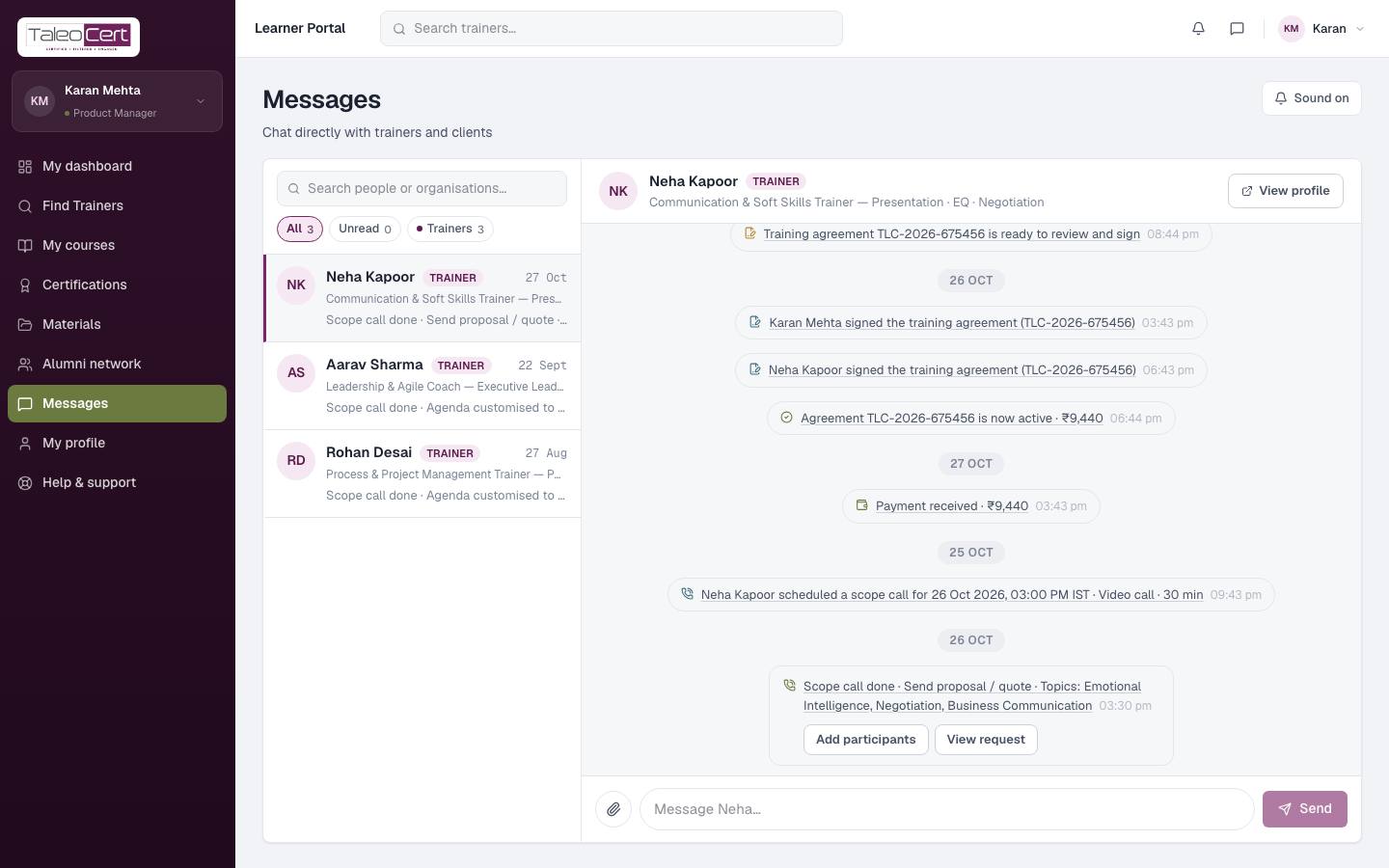
- Messages: chat with your trainers. Booking and scope-call events appear in the thread.
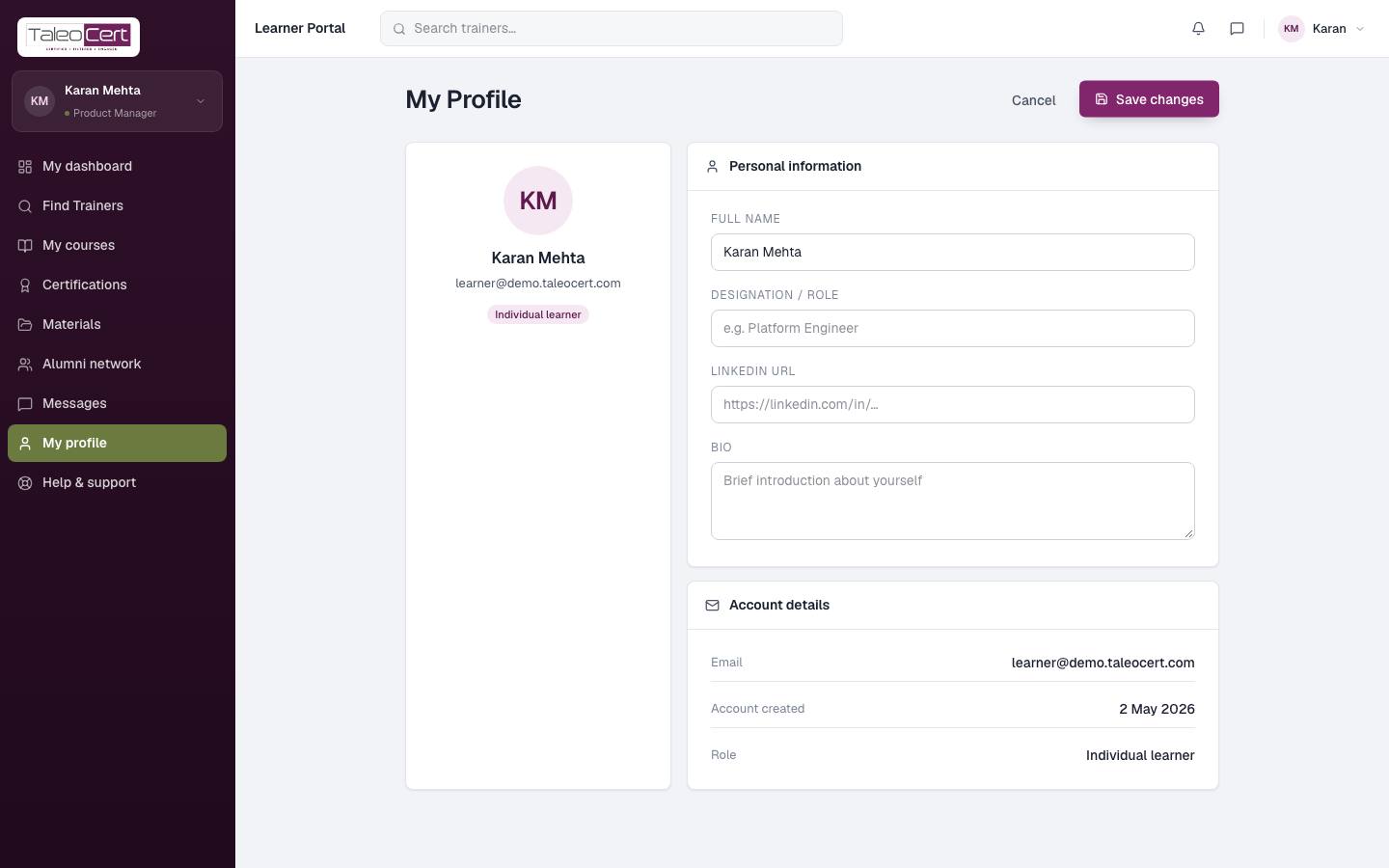
- My profile: click Edit profile to set your designation, LinkedIn URL and a short bio.
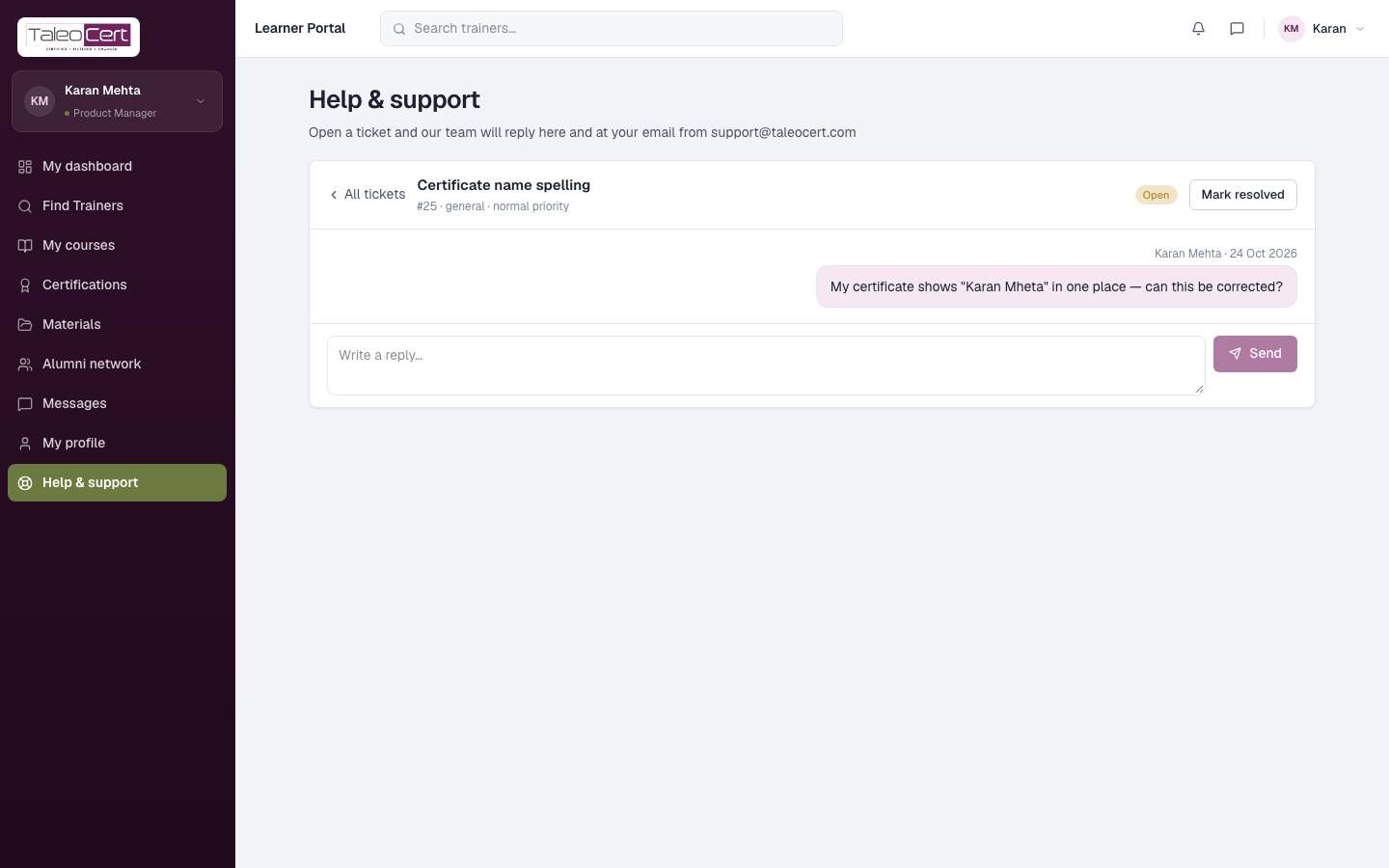
- Help & support: open a ticket and follow the replies.
Something not covered? Talk to us or open a ticket from Help & support in your portal.