
Docs Step-by-step guides
Sell or share course materials
For Trainers & buyersTrainers publish decks, documents, videos and labs; clients download or buy them.
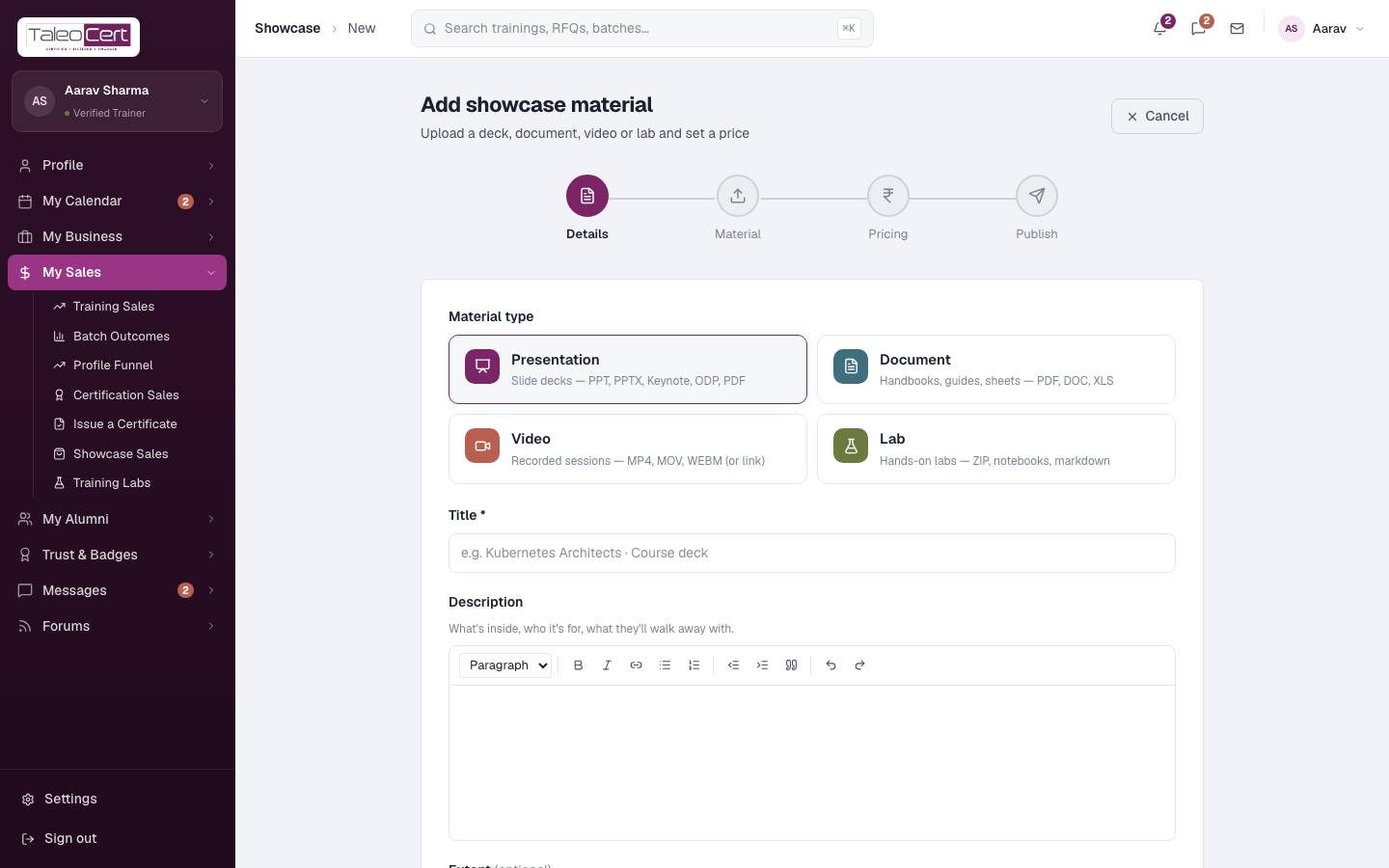
- 1Trainer: add materialMy Sales › Showcase Sales › Add material: type, title, description, file or link, and price (or free). Publish. Details.
Add showcase material. - 2Client: find itOn the trainer's public profile, or in Materials in the corporate and learner portals.
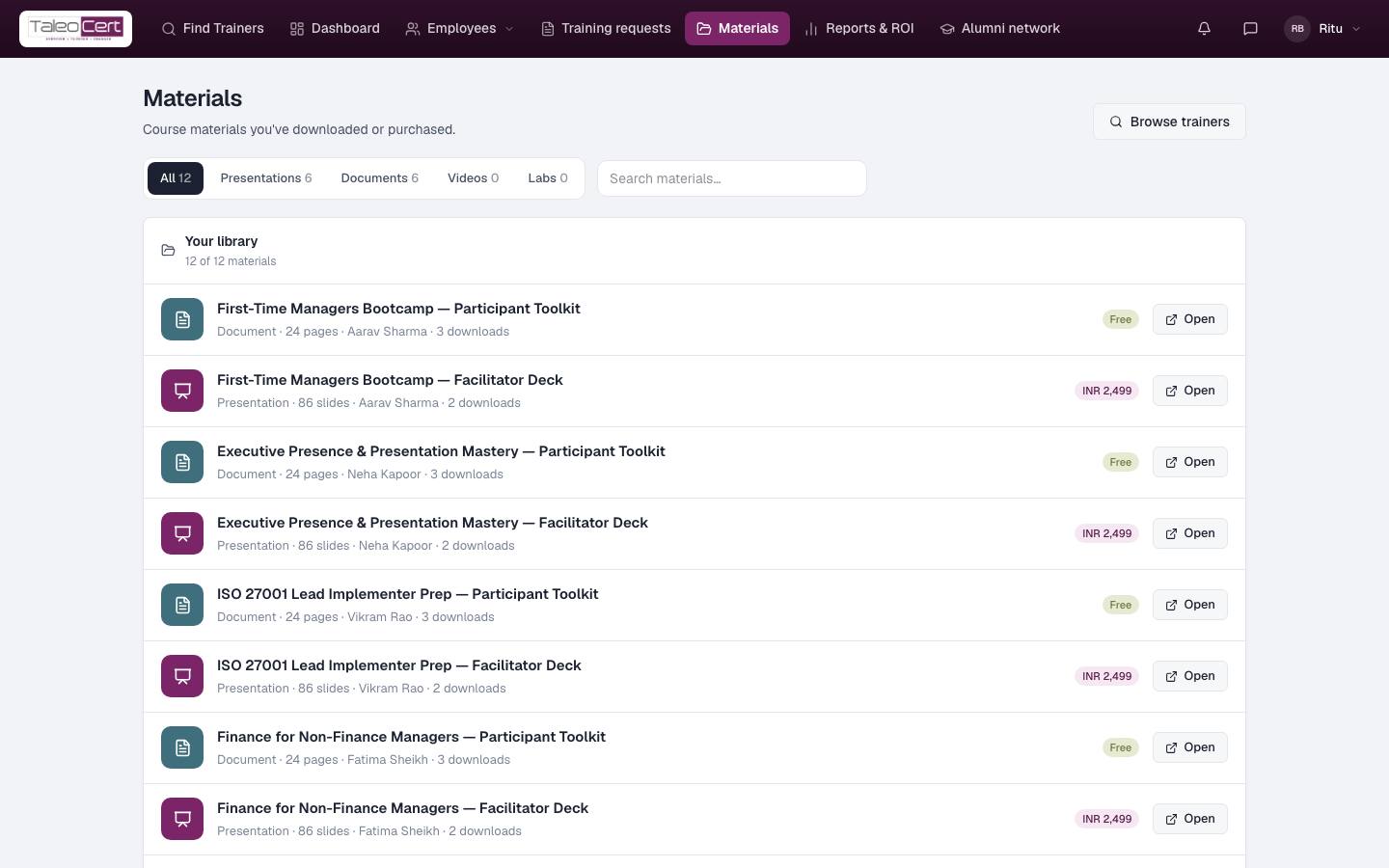
- 3Client: download or buyFree items open straight away. Paid items go through Razorpay; both sides are emailed and the item stays in Your library.
A company's materials library. - 4Trainer: see salesPurchases show in payments and your earnings; downloads are counted per item.
Something not covered? Talk to us or open a ticket from Help & support in your portal.